Community Training Classes & Labs > F5 Programmability Training Index
Lab 1.2: API Authentication
Overview
The iControl REST API requires initial authentication in the form of a username/password. After authentication is successful, a token can be used to make subsequent API calls.
Preface
Prior to performing this lab, the Postman environment should be validated. The {{big_ip_a_mgmt}} variable should be set to the host name of the BIG-IP’s management GUI. In this case, the Postman environment variable should already be set `bigipa.f5demo.com` for this lab.
Prior to performing any of the below steps, ensure that you can log into the BIG-IP with Chrome after accepting the invalid certificate. Postman relies on the Chrome certificate store and if the self-signed cert has not been accepted via Chrome, this extension will not work properly.
- Launch Chrome and click on the 「BIG-IP A GUI」 bookmark on the tool bar.
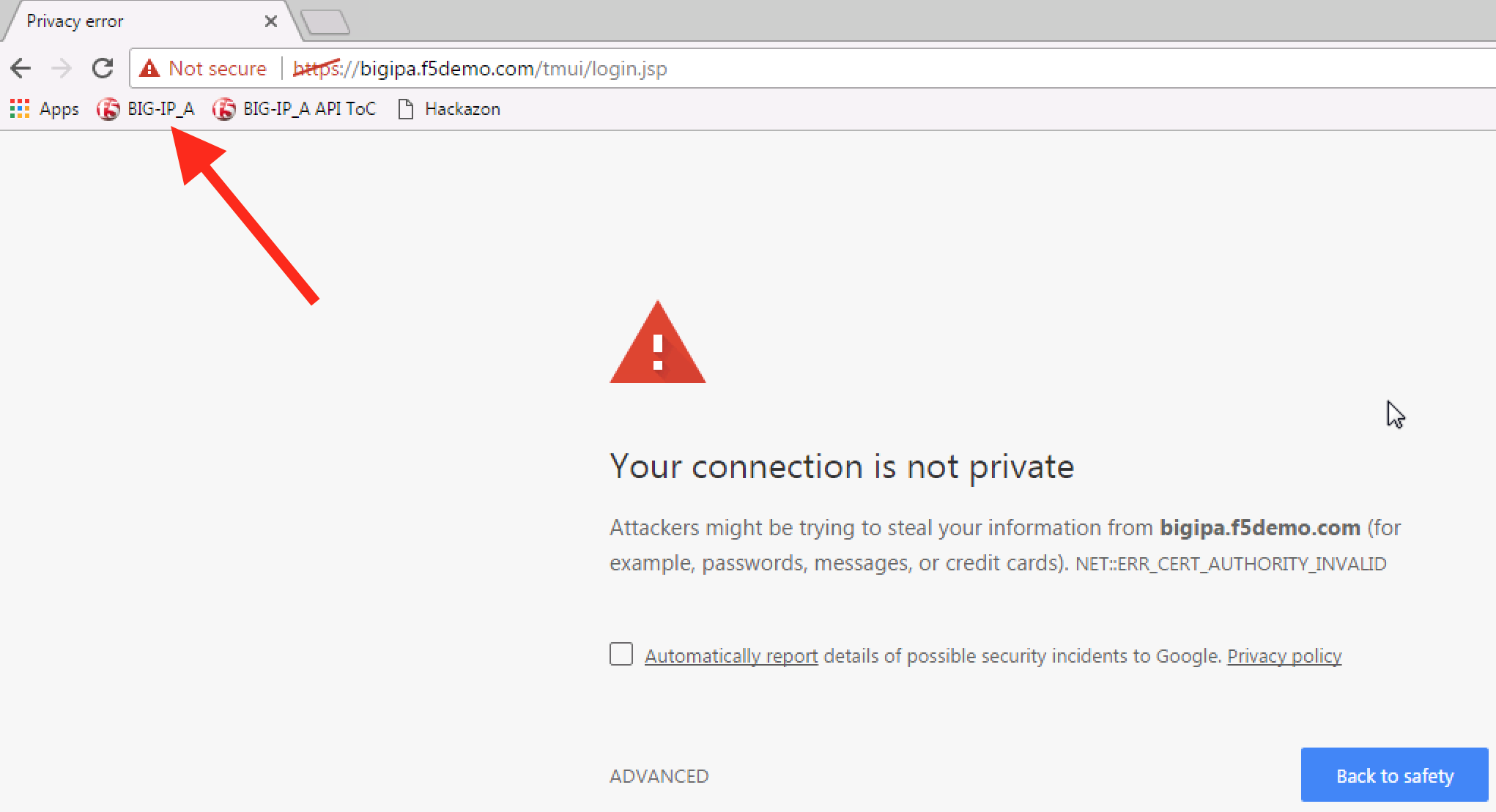
- A certificate warning should be displayed. Click on the
`ADVANCED`link in the lower left-hand side of the warning message.
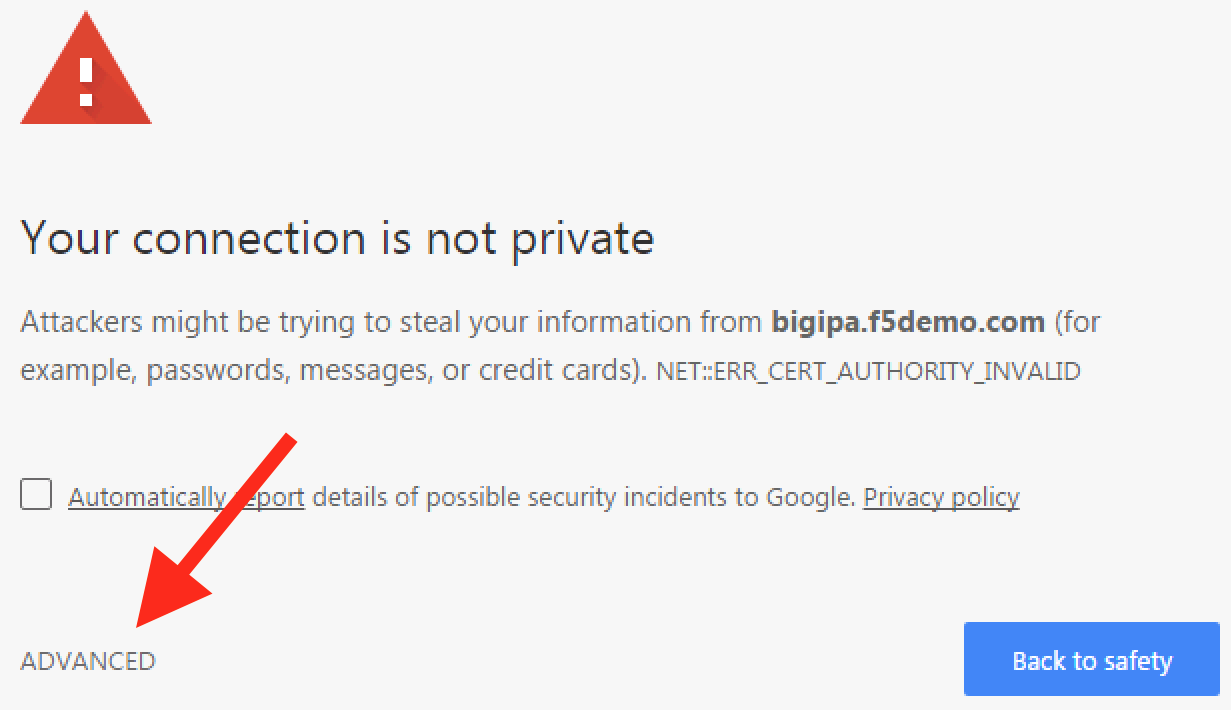
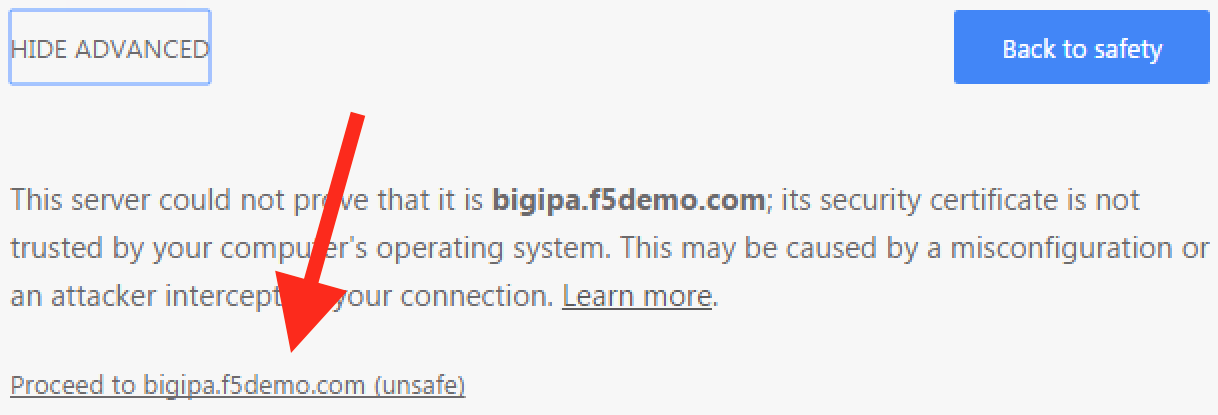
- Accept the invalid certificate by clicking on the
`Proceed to bigipa.f5demo.com (unsafe)`link.
- The BIG-IP management GUI should now be displayed.
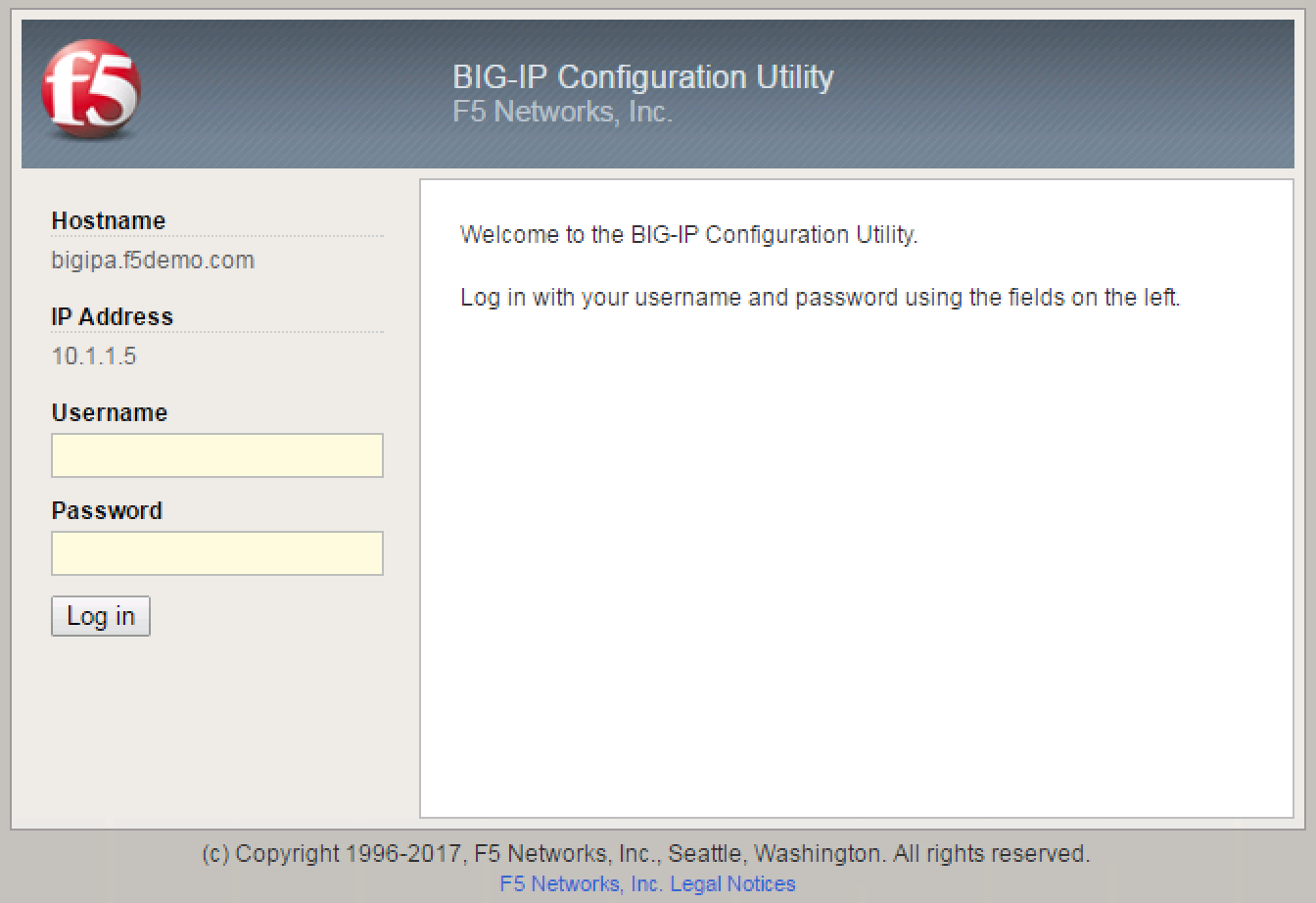
- Log into the BIG-IP using the default user name and password (admin/admin).
警告
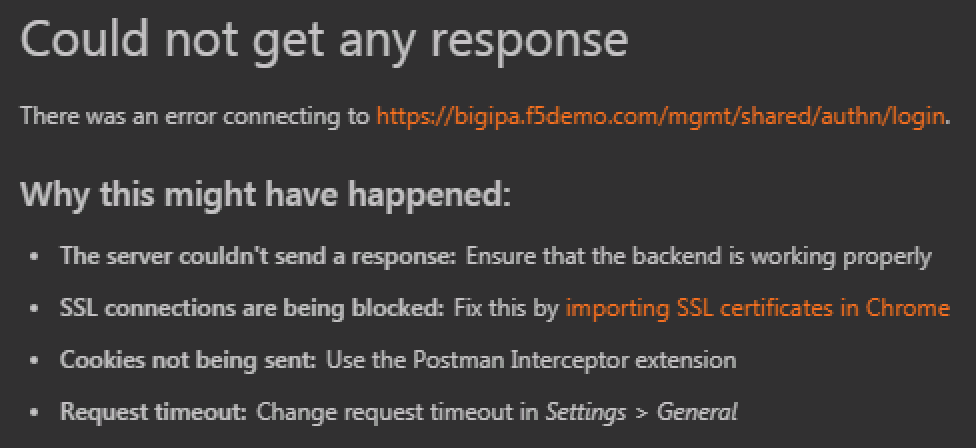
If you do not first log into the BIG-IP and accept the invalid certificate with Chrome, Postman will state `could not get any response` when sending a request to the BIG-IP.
Lab Specific Instructions
Follow the Lab 1.2 - API Authentication steps in order found in the Postman collection to complete this portion of the lab. The requests and responses have been included below for reference.
In this lab, the basic authentication value is the base64-encoding of the BIG-IPs default username and password admin:admin.
Once successfully authenticated, the BIG-IP response will respond with an authentication token that should be copied and placed into the {{big_ip_a_auth_token}} Postman environment variable.
注意
Some response content has been removed for brevity.
1. HTTP BASIC Authentication
Request
GET https://{{big_ip_a_mgmt}}/mgmt/tm/ltm
Headers
Authorization: Basic YWRtaW46YWRtaW4=
Example Response
{
    "kind": "tm:ltm:ltmcollectionstate",
    "selfLink": "https://localhost/mgmt/tm/ltm?ver=13.0.0",
    "items": [
        {
            "reference": {
                "link": "https://localhost/mgmt/tm/ltm/auth?ver=13.0.0"
            }
        },
        {
            "reference": {
                "link": "https://localhost/mgmt/tm/ltm/cipher?ver=13.0.0"
            }
        }
    ]
}
2. Get Authentication Token
Once successfully authenticated, the BIG-IP response will respond with a 200 OK and an authentication token in the response.
Request
POST https://{{big_ip_a_mgmt}}/mgmt/shared/authn/login
Header
Content-Type: application/json
Authorization: Basic YWRtaW46YWRtaW4=
Body
{
    "username":"admin",
    "password":"admin",
    "loginProviderName":"tmos"
}
Example Response
注釈
Notice that the timeout value is 1200 seconds.
{
    "username": "admin",
    "loginProviderName": "tmos",
    "token":
    {
        "token": "FZ42XIKJMI6UGXDD7I3VU52EUY",
        "name": "FZ42XIKJMI6UGXDD7I3VU52EUY",
        "userName": "admin",
        "authProviderName": "tmos",
        "timeout": 1200,
        "partition": "[All]",
        "generation": 1,
        "lastUpdateMicros": 1495940163849480,
        "expirationMicros": 1495941363850000,
        "kind": "shared:authz:tokens:authtokenitemstate",
        "selfLink": "https://localhost/mgmt/shared/authz/tokens/FZ42XIKJMI6UGXDD7I3VU52EUY"
    }
}
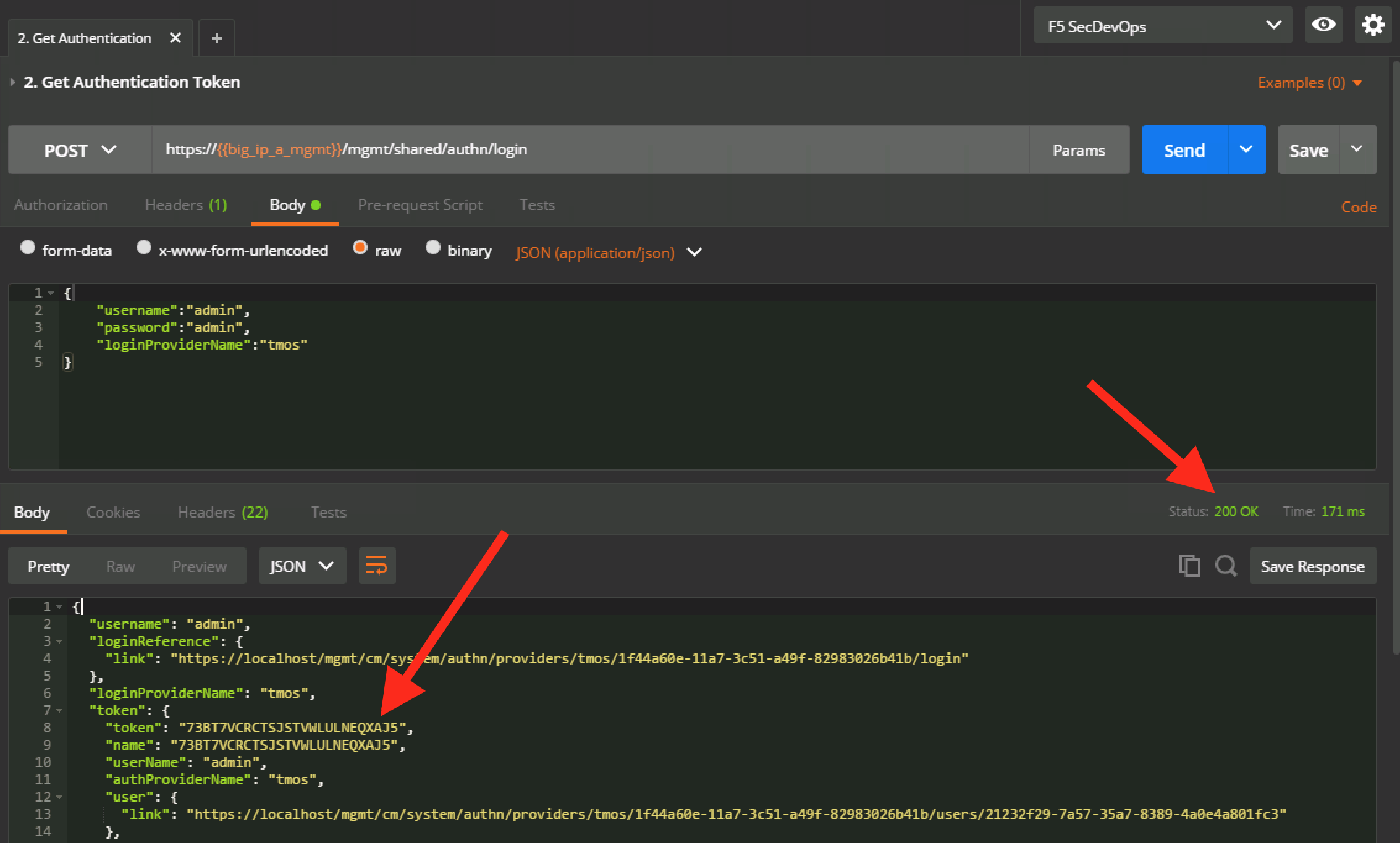
Copy the token into the {{big_ip_a_auth_token}} Postman environment variable.

3. Verify Working Authentication Token
Ensure that the authentication token has been copied from the BIG-IP response and into the {{big_ip_a_auth_token}} Postman environment variable.
Request
GET https://{{big_ip_a_mgmt}}/mgmt/tm/ltm
Header
注意
The following X-F5-Auth-Token is for example only.
X-F5-Auth-Token: {{big_ip_a_auth_token}}
Example Response
{
    "kind": "tm:ltm:ltmcollectionstate",
    "selfLink": "https://localhost/mgmt/tm/ltm?ver=13.0.0",
    "items": [
        {
            "reference": {
                "link": "https://localhost/mgmt/tm/ltm/auth?ver=13.0.0"
            }
        },
        {
            "reference": {
                "link": "https://localhost/mgmt/tm/ltm/cipher?ver=13.0.0"
            }
        }
    ]
}
4. Set Authentication Token Timeout
Request
PATCH https://{{big_ip_a_mgmt}}/mgmt/shared/authz/tokens/{{big_ip_a_auth_token}}
Header
Content-Type: application/json
X-F5-Auth-Token: {{big_ip_a_auth_token}}
Body
{
    "timeout":"36000"
}
Example Response
注釈
The timeout value is now 36000 seconds.
{
    "token": "F3J4CMRAYBWVD6A74A6KBP4DGQ",
    "name": "F3J4CMRAYBWVD6A74A6KBP4DGQ",
    "userName": "admin",
    "authProviderName": "tmos",
    "timeout": 36000,
    "partition": "[All]",
    "kind": "shared:authz:tokens:authtokenitemstate",
    "selfLink": "https://localhost/mgmt/shared/authz/tokens/F3J4CMRAYBWVD6A74A6KBP4DGQ"
}